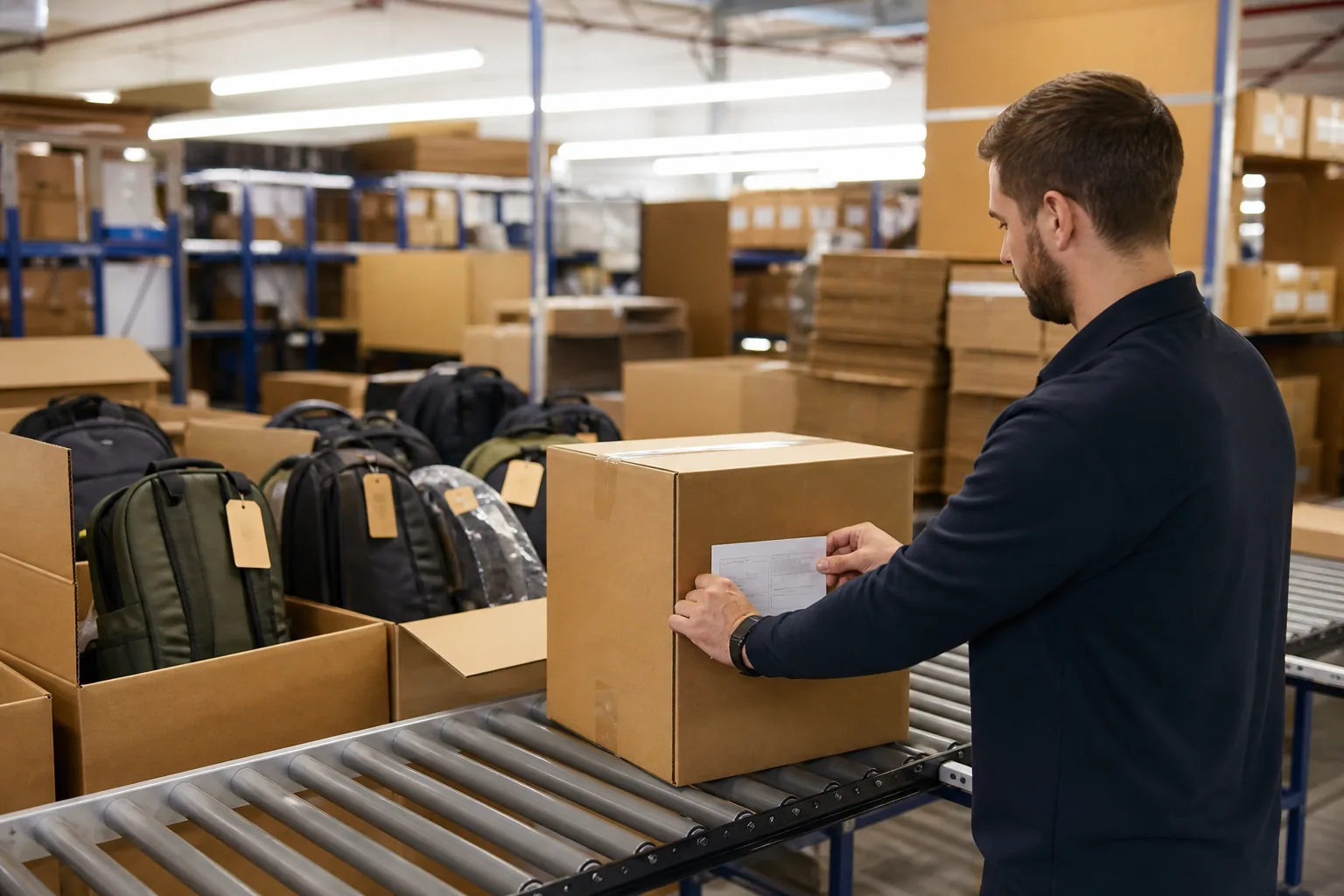
A bag is built from dozens of components, assembled across many operations, handled by several people, and shipped in cartons that mix units from different production days. When a buyer reports a defect three months after delivery, the factory has to answer a specific question: which material lot, which line, which operator, which machine, and which production window produced this unit.
Factories that answer from memory take days and often get it wrong. Factories with digital traceability answer in minutes and know whether the problem affects one unit or the entire shipment.
That capability comes from two systems working together. Traceability is the record structure: the identifiers attached to materials, work orders, and finished goods that allow any unit to be linked back to its origins.
A manufacturing execution system, usually shortened to MES, is the software that captures those records as work happens and makes them queryable. Neither is valuable alone. An identifier with no captured data is a number; data with no identifier cannot be linked to a unit.
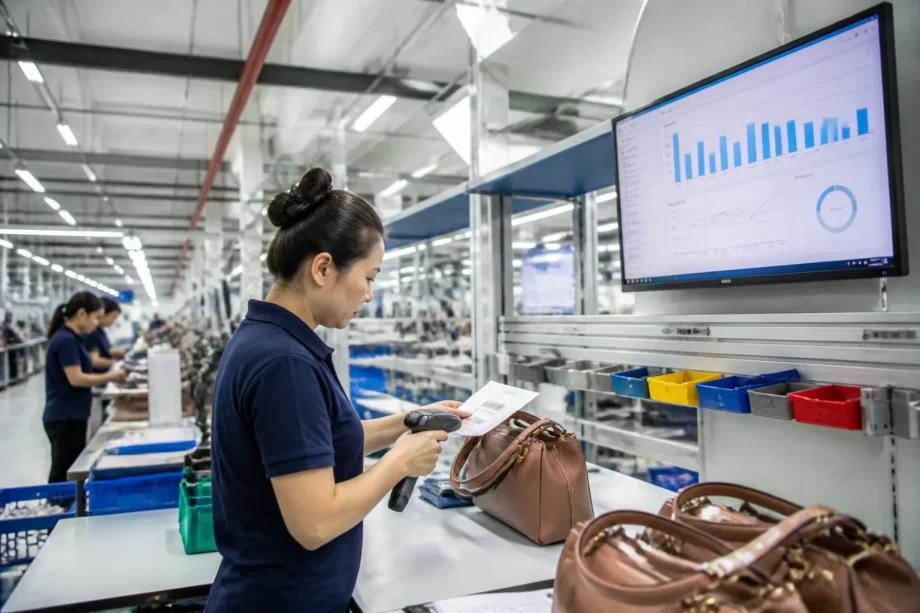
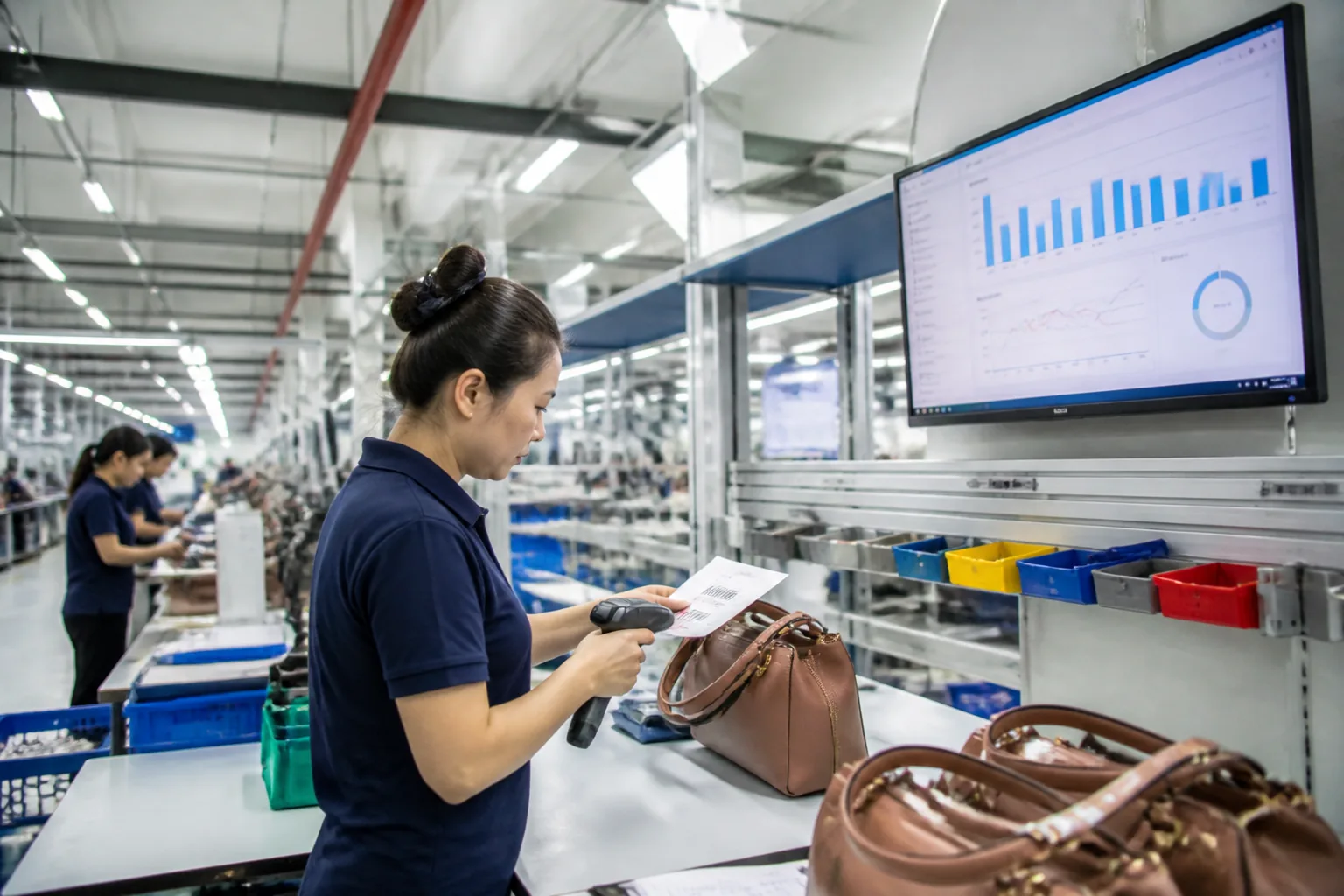
Bag factory production floor with a digital terminal and operator scanning
This guide covers digital traceability from a bag manufacturer’s perspective: why the industry’s structure makes it difficult, how work orders and identifier systems are designed, what MES modules actually do on a cut-and-sew floor, and which process data is worth capturing.
It then follows the traceability chain from material lot to shipped carton, explains how a customer query or recall is handled with records, describes what implementation realistically involves, and sets out what the investment returns.
Bag production has structural features that make tracing difficult. Multiple components arrive from different suppliers, batches are split and recombined as they move between operations, and labour-intensive assembly means the record of who did what is easy to lose.
The Structural Challenge Table
Feature
Traceability difficulty
Many components per unit
Multiple lot numbers to link
Multiple material suppliers
Fragmented incoming records
Split and recombined batches
Lineage breaks easily
Many manual operations
Recording is a distraction
Style changes
Different routings per style
Mixed cartons
Units from different days shipped together
The Question Table
Question raised by a defect
Data needed
Which supplier provided the fabric?
Material lot and receiving record
When was this unit produced?
Work order and completion date
Who assembled it?
Operator or team record
Which machine stitched it?
Machine identifier
What else was in the batch?
Work order scope
Where did that shipment go?
Packing and shipping record
The Cost of Not Knowing Table
Situation
Consequence
Cannot identify the scope
Whole shipment recalled
Cannot identify the cause
Problem repeats
Records incomplete
Buyer confidence falls
Slow response
Buyer escalates
Repeated queries
Administrative burden
The Comparison Table
Approach
Character
No records
Depends on memory
Paper records
Available but slow to search
Spreadsheets
Partially searchable
Barcode with database
Searchable by identifier
MES with integrated records
Immediate and linked
The Benefit Table
Benefit
Effect
Fast scope definition
Narrower recall
Root cause visible
Corrective action is targeted
Compliance evidence
Documentation is ready
Performance visibility
Bottlenecks identifiable
Buyer confidence
Faster query response
Payroll and output data
Accurate and automatic
Manufacturer note: The purpose of traceability is not to record everything. It is to be able to answer a defined set of questions quickly. A factory that captures work order, material lot, operator, machine, and date for every unit has enough to answer almost every buyer query. A factory that tries to capture every possible data point usually captures nothing consistently.
Work Orders and Identifier Systems
Traceability starts with a work order that defines what is being made, from which materials, on which line, and a set of identifiers that allow each element to be linked.
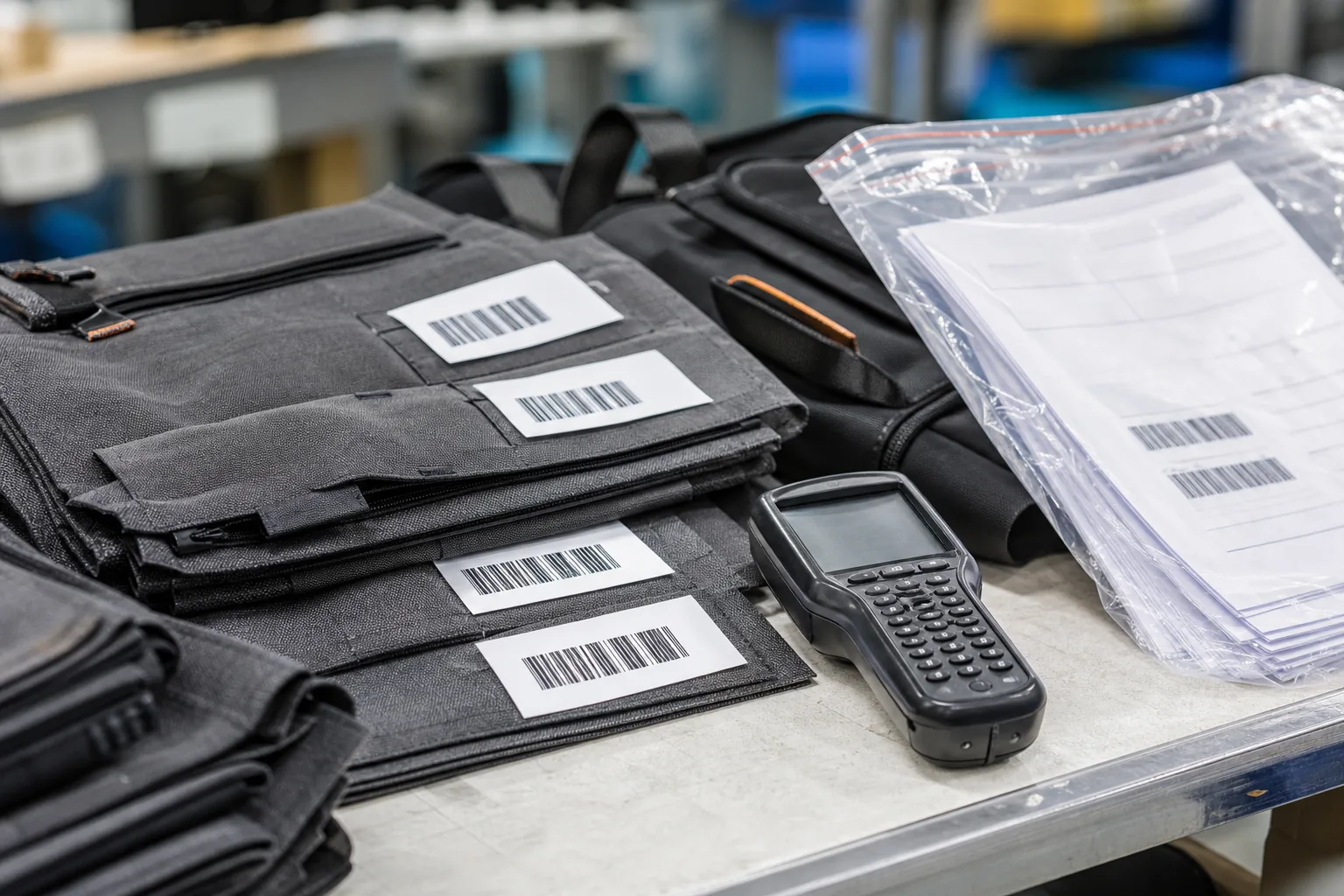
Barcode labels and a handheld scanner on cut fabric panels
The Work Order Table
Field
Purpose
Work order number
Unique reference for the batch
Style and revision
What is being produced
Quantity
Planned output
Material lots
Which lots are issued
Line and team
Where it is made
Planned start and end
Time window
Routing
Sequence of operations
The Identifier Table
Identifier
Applied to
Material lot number
Fabrics, hardware, zips
Work order number
Batch of units
Bundle or trolley ticket
Units moving between operations
Operator identifier
Person or team
Machine identifier
Sewing machine or press
Unit serial number
Individual finished bag
Carton number
Packing unit
The Identifier Method Table
Method
Character
Printed numeric code
Low cost, manual entry
Barcode
Fast scanning, low cost
QR code
More data per label
RFID tag
No line of sight needed
Woven or printed label
Permanent on the product
The Code Content Table
Code
Contains
Material lot
Supplier, lot, date received
Work order
Style, quantity, line, date
Bundle ticket
Work order, operation, quantity
Unit serial
Work order, sequence
Carton
Work order, unit range, quantity
The Labelling Point Table
Stage
Label applied
Receiving
Material lot label
Cutting
Bundle ticket with work order
Sewing
Bundle ticket retained or re-labelled
Assembly
Work order reference on the trolley
Packing
Unit serial and carton label
Shipping
Carton list linked to the order
The Data Capture Table
Method
When to use
Handheld scanner
Mobile operations
Fixed scanner
Conveyor or station
Tablet entry
Inspection results
Machine signal
Automatic counting
Manual keying
Last resort
The Numbering Rule Table
Rule
Reason
Unique within the site
Prevents collisions
Never reused
Preserves history
Human readable
Enables manual fallback
Machine readable
Enables scanning
Linked to the order
Enables reconstruction
MES Modules on a Cut-and-Sew Floor
An MES sits between the planning system and the machines. Planning decides what should be made; the MES records what is actually happening, at which operation, by whom, and in what condition.
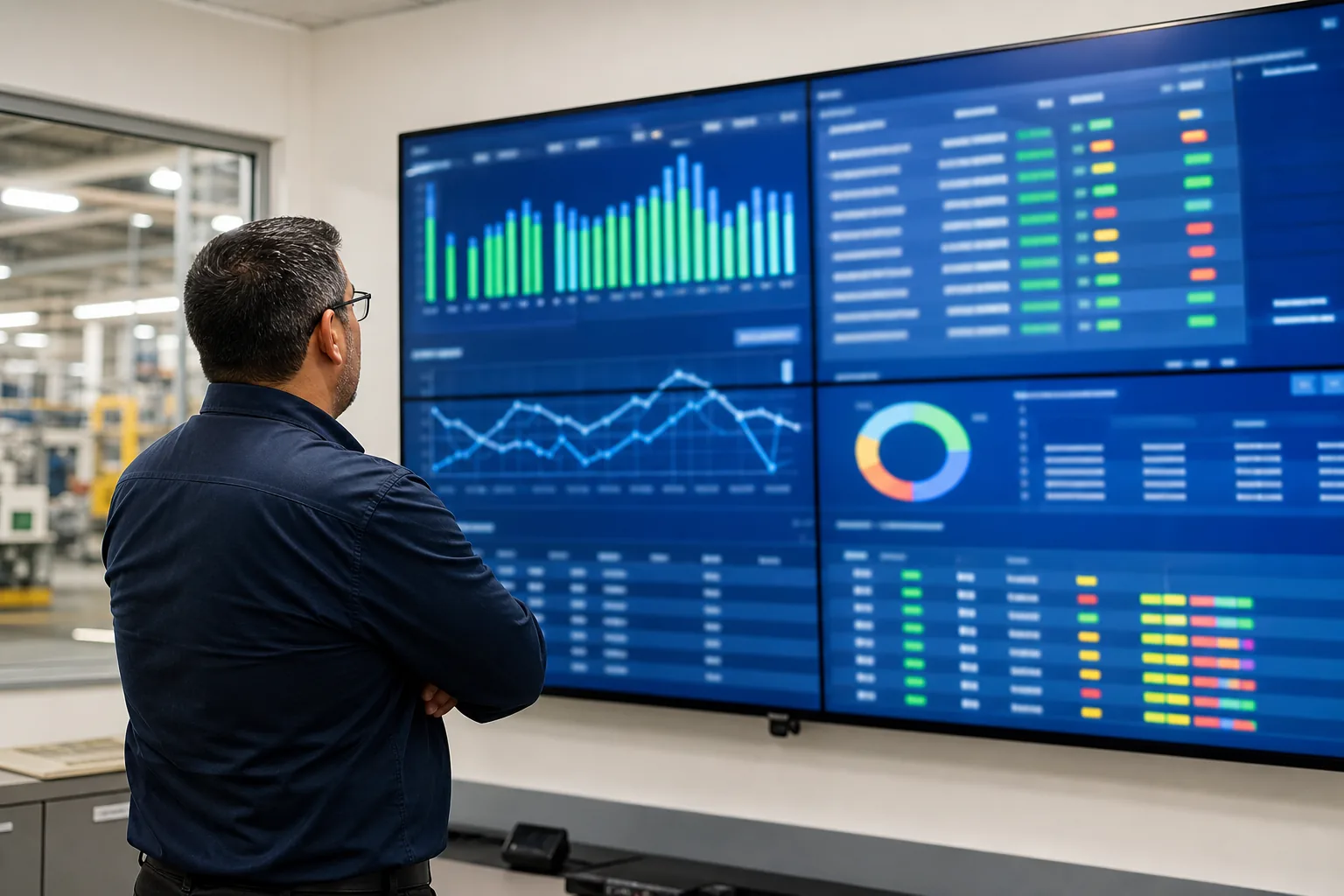
Production control screen displaying manufacturing dashboards
The Module Table
Module
Function
Work order management
Release and track orders
Routing control
Sequence and operation steps
Data collection
Capture at the station
Quality management
Record inspections and defects
Material tracking
Link lots to work orders
WIP monitoring
Show units in progress
Reporting
Output, yield, lead time
Traceability query
Reconstruct a unit’s history
The Work Order Module Table
Capability
Benefit
Release to the line
Controlled start
Quantity visible
Progress known
Status tracking
Where the batch is
Split and merge
Handles real production
Completion record
Closes the order
The Routing Module Table
Element
Purpose
Operation sequence
Standard path
Operation description
What is done
Standard time
Balancing reference
Quality checkpoint
Where inspection occurs
Alternative route
Handles rework
The Data Collection Table
Input
Method
Operation start and finish
Scan at the station
Quantity completed
Scan or count
Defects found
Operator entry
Machine running state
Machine signal
Operator identity
Badge or login
The Quality Module Table
Function
Content
Inspection plan
What and how often
Result entry
Pass, fail, measurement
Defect coding
Standard reasons
Rework tracking
Repair and re-check
Certificate data
Evidence for the buyer
The Material Module Table
Function
Benefit
Lot issue to order
Links material to output
Consumption record
Reconciliation
Substitute approval
Controlled deviation
Remnant management
Reduces waste
The WIP Module Table
View
Use
Units by operation
Finds the bottleneck
Units by order
Shows order progress
Age of WIP
Identifies stalled batches
Comparison with plan
Reveals deviation
The Reporting Table
Report
Decision it supports
Daily output
Line performance
First-pass yield
Quality trend
Rework hours
Cost of poor quality
Order progress
Delivery confidence
Lead time
Responsiveness
Traceability query
Recall scope
Data Capture at Key Operations
Not every operation deserves a scan. Data capture should concentrate on the points where the traceability chain can break, where quality is determined, or where the buyer’s questions will land.
The Critical Point Table
Operation
Why capture
Material receiving
Establishes the lot record
Cutting
Links panels to the work order
Component kitting
Confirms the correct parts
Main assembly
Determines fit and structure
Hardware fitting
Load-bearing and safety related
Inspection
Records the quality result
Packing
Links units to a carton
Shipping
Links the carton to the customer
The Data Point Table
Data
Source
Work order
Pre-printed on the ticket
Operation
Selected or scanned
Operator
Badge or login
Machine
Station configuration
Quantity
Operator entry or count
Time
System timestamp
Result
Pass, fail, or measurement
The Manual Entry Table
Risk
Control
Wrong order selected
Scan instead of select
Quantity mis-keyed
Range validation
Skipped entry
Mandatory field
Late entry
Entry at the point of work
Backdated records
System timestamp only
The Automatic Capture Table
Source
Data provided
Sewing machine counter
Stitch or piece count
Press controller
Cycle count
PLC on a cutting machine
Cut quantity
Weighing scale
Component count validation
Vision system
Defect flags
The Scan Discipline Table
Practice
Reason
Scan at the point of work
Records reflect reality
One scan per unit or bundle
Prevents bulk entry
Scanner within reach
Removes the excuse
Feedback on screen
Confirms the scan registered
Exception handling
Corrects a genuine error
The Data Quality Table
Issue
Effect
Missing scans
Gaps in the chain
Duplicate scans
Inflated counts
Wrong operator
Untraceable accountability
Delayed entry
Unreliable timestamps
Free-text notes
Unsearchable records
The Integration Table
System
Interface
ERP
Order and material master
Payroll
Operator hours
Warehouse
Finished goods receipt
Buyer portal
Shipment and certificate data
Quality system
Defect and corrective records
The Device Table
Device
Location
Handheld scanner
Mobile along the line
Fixed scanner
Receiving and packing
Tablet terminal
Inspection stations
Label printer
Receiving, cutting, packing
Wall display
Line performance
Building the Traceability Chain
The chain links a finished unit back through every operation to the raw material lots it contains. It only works if each link is captured at the moment the work happens, and if the links are joined in both directions.
The Chain Stage Table
Stage
Record created
Supplier delivery
Material lot and inspection result
Receiving
Lot number and storage location
Cutting
Panels linked to the work order
Kitting
Components linked to the order
Assembly
Operator, machine, and time
Inspection
Result and defects
Packing
Unit and carton identifiers
Shipping
Carton list and destination
The Forward and Backward Table
Direction
Question answered
Backward
What went into this unit?
Forward
Where did this lot go?
Finished backpacks with serial tags being packed into export cartons
The Linkage Table
Link
Requires
Material to work order
Lot issue recorded
Work order to unit
Unit serial within the order
Unit to carton
Packing record
Carton to shipment
Shipping record
Shipment to customer
Order and delivery note
The Record Content Table
Record
Minimum content
Material lot
Supplier, lot, date, quantity
Work order
Style, quantity, line, dates
Operation record
Operator, machine, time, quantity
Inspection
Result, defects, action
Packing
Unit range, carton, weight
Shipment
Cartons, destination, date
The Gap Table
Gap
Consequence
Lot not recorded at issue
Material cannot be linked
Bundle ticket lost
Assembled units untraceable
Serial not applied
Individual units unidentifiable
Carton list missing
Shipment scope unknown
Records in paper only
Slow and error-prone search
The Verification Table
Test
Method
Backward trace
Pick a unit and reconstruct its history
Forward trace
Pick a lot and list affected units
Time to answer
Measure and record
Completeness
Percentage of units fully traced
Accuracy
Compare record with physical unit
Customer Queries, Complaints and Recalls
The value of traceability shows when a buyer reports a problem. The difference between a factory that responds in hours and one that responds in weeks is whether the records can be searched.
The Query Type Table
Query
Data required
Defect on a specific unit
Unit serial history
Material concern from the supplier
Lot and affected work orders
Compliance documentation
Batch certificates
Delivery confirmation
Packing and shipping records
Production history
Work order detail
The Response Step Table
Step
Action
1
Record the query with the unit or carton reference
2
Retrieve the unit history
3
Identify the material lots involved
4
Search forward for other affected units
5
Define the scope and containment
6
Report with evidence
The Scope Table
Scope
Definition
Single unit
One serial number
Bundle
Units from one bundle
Work order
Units from one production batch
Material lot
All units containing that lot
Shipment
All cartons in the delivery
Broader
Multiple orders across dates
The Containment Table
Situation
Action
Defect isolated to one unit
Replace the unit
Defect across a work order
Sort the batch
Defect traced to a material lot
Contain all affected orders
Cause not yet known
Hold and investigate
Safety related
Full recall with buyer
The Investigation Table
Element
Source
When it was made
Work order dates
Who made it
Operator record
On which machine
Machine identifier
From which material
Lot records
What the inspection showed
Inspection result
What else was affected
Forward trace
The Report Table
Section
Content
Reference
Unit or carton identifier
Production history
Dates, line, work order
Material history
Lots used
Inspection result
Recorded outcome
Scope assessment
Units potentially affected
Action taken
Containment and corrective step
The Corrective Table
Cause
Action
Material defect
Supplier claim and incoming control
Process error
Standard and training revision
Machine fault
Maintenance and verification
Inspection escape
Checkpoint review
Record error
Data capture improvement
The Response Time Table
Query
Target
Unit history
Same day
Lot scope
Same day
Full recall scope
Within one working day
Root cause report
Within the agreed window
Implementing Traceability and MES
Implementation fails when it starts with software selection. It succeeds when it starts with the questions the factory needs to answer and works backwards to the minimum data capture that answers them.
The Roadmap Table
Phase
Focus
1
Define the traceability questions
2
Design the identifier scheme
3
Pilot on one line with barcodes
4
Capture the critical operations
5
Add MES modules progressively
6
Integrate with ERP and warehouse
7
Extend to all lines
The Question Design Table
Step
Activity
1
List the buyer questions received in the past year
2
List the internal questions asked during defects
3
Rank by frequency and cost
4
Define the data needed for each
5
Identify where that data can be captured
The Identifier Design Table
Decision
Options
Code type
Numeric, barcode, QR, RFID
Unit level
Bundle, unit, or carton
Format
Segment structure for meaning
Label material
Paper, synthetic, woven
Application point
Where the label is applied
Durability
Survives the process
The Pilot Table
Element
Scope
Line
One representative line
Operations
Three or four critical ones
Devices
Two scanners and one printer
Duration
One to two months
Measure
Time to answer a trace query
The Rolling Expansion Table
Order
Extend to
1
Receiving and cutting
2
Sewing and assembly
3
Inspection
4
Packing and shipping
5
Additional lines
The Cost Element Table
Element
Character
Software licences
Recurring
Devices
One-off per station
Label and printing
Consumable
Integration work
One-off
Training
One-off, recurring refresher
Maintenance
Recurring
The Return Table
Benefit
How it shows
Narrower recall scope
Units salvaged
Faster query response
Buyer satisfaction
Reduced rework
Cause fixed sooner
Accurate output data
Better planning
Labour data
Payroll accuracy
Compliance readiness
Audits passed faster
The Effort Table
Activity
Relative effort
Designing the identifier scheme
High once
Labelling at receiving
Moderate ongoing
Scanning at the station
Low per unit
Training
Moderate once
Data review
Low weekly
The Failure Table
Failure
Cause
Scans skipped when busy
No routine and no feedback
Records incomplete
Too many fields required
Software unused
Chosen before the questions
Pilots not extended
No rollout plan
Data not trusted
Entry errors tolerated
Devices out of reach
Poor station design
Management not using reports
Reports not useful
The Discipline Table
Practice
Reason
Capture at the point of work
Records reflect reality
Minimal required fields
Reduces skips
Immediate screen feedback
Confirms the scan
Daily completeness check
Catches gaps early
Weekly trace test
Proves the chain works
Performance data used in meetings
Makes the data matter
The Trace Test Table
Test
Frequency
Backward trace of a random unit
Weekly
Forward trace of a material lot
Monthly
Time to answer measured
Every test
Gap analysis
Monthly
Manufacturer note: A traceability system is only as good as its weakest scan. If operators can complete a work order without scanning, some of them will, especially during a rush. The controls that prevent this are practical: keep the scanner within arm’s reach, make the screen confirm each scan immediately, require the scan before the next operation can start, and check completeness daily rather than at month end.
Data Quality, Security and Retention
A traceability record only has value if it is accurate, available when needed, and protected from loss or misuse. These are operational disciplines rather than software features, and they decide whether the system survives its third year.
The Data Quality Table
Dimension
Requirement
Completeness
Every unit has a full history
Accuracy
Records match the physical unit
Timeliness
Captured when the work happens
Consistency
Same format across lines
Searchability
Retrievable by the identifiers in use
The Error Source Table
Error
Prevention
Wrong work order scanned
Scan the ticket, do not select from a list
Duplicate entry
System prevents repeat scans
Missing operation
Previous operation must close first
Wrong quantity
Range validation on entry
Misread label
Print quality and scanner upkeep
The Access Table
Role
Access
Operator
Enter own operation data
Line leader
View and correct own line
Supervisor
View all lines, approve corrections
Quality
View and manage inspection records
Management
Read-only reporting
Buyer portal
Shipment and certificate data only
The Correction Table
Situation
Handling
Entry made in error
Supervisor approval with reason
Missing scan discovered
Record the correction and the reason
Record tampered
Restricted rights and audit trail
Backdated entry
Not permitted; note the late entry
The Backup Table
Element
Practice
Database
Scheduled automatic backup
Off-site copy
Protected against site loss
Restore test
Performed periodically
Retention
Per the stated policy
Access recovery
Documented procedure
The Retention Table
Record
Typical retention
Material lot records
Several years
Work order history
Several years
Inspection results
Per contract
Certificates
Per contract
Shipment records
Several years
The Buyer Interface Table
Feature
Benefit
Shipment visibility
Reduces status queries
Certificates on request
Faster compliance response
Trace query submission
Single channel for questions
Defect reporting
Structured feedback
The Traceability Checklist
Design
Item
Done
Buyer and internal questions listed
☐
Required data defined per question
☐
Identifier scheme designed
☐
Unit, bundle, and carton levels agreed
☐
Label format and material chosen
☐
Application points defined
☐
Capture
Item
Done
Material lots labelled at receiving
☐
Lot issue recorded to the work order
☐
Work order ticket applied at cutting
☐
Operator and machine recorded
☐
Inspection results captured
☐
Unit serial applied before packing
☐
Carton list compiled
☐
Shipment linked to the customer order
☐
Devices and Systems
Item
Done
Scanner within reach at each station
☐
Printer available at labelling points
☐
Screen feedback immediate
☐
Software integrated with ERP
☐
Backup and access control in place
☐
Verification
Item
Done
Weekly backward trace performed
☐
Monthly forward trace performed
☐
Response time measured
☐
Completeness checked daily
☐
Gaps closed
☐
Reports used in management review
☐
The Eight Rules
Rule
Reason
Start from the questions, not the software
Prevents buying features nobody uses
Identify at the level you actually need
Over-specification raises cost and compliance
Capture at the point of work
Records reflect reality
Keep the required entry minimal
Fewer fields means fewer skips
Make the screen confirm the scan
Feedback prevents silent gaps
Check completeness daily
Gaps found late cannot be recovered
Test the chain at a fixed frequency
Proves the chain works before it is needed
Use the data in management review
Data nobody uses stops being collected
FAQ
Do we need a full MES to have traceability?
No. Traceability depends on identifiers and captured records, not on a specific software category. A factory can start with printed work order numbers, barcode labels, two handheld scanners, and a simple database, and answer most buyer queries within a day. A full MES adds value when the factory also wants routing control, automatic WIP visibility, integrated quality records, and reporting that feeds planning. Building the identifier scheme and the capture discipline first means that any later software step has data worth working with rather than a set of empty fields.
What is the most important point to capture on a bag line?
The work order and the material lot together, because those two links are what make a defect traceable. If the factory can say which work order a unit came from and which material lots went into that work order, it can define the scope of a problem and find the cause. Everything else, including operator and machine data, sharpens that answer but does not replace it. Many factories capture output quantity carefully and material lot poorly, which leaves them able to count production but unable to trace a complaint.
How granular should unit identification be?
It depends on what the buyer will ask and what the product justifies. Serialising every individual bag gives the finest resolution and lets a single unit be traced without touching the rest of the batch, but it costs a label and a scan per unit. Labelling at bundle or work order level is cheaper and sufficient when the buyer evaluates quality by batch. For higher-value programs, or where a safety or regulatory concern exists, unit-level serialisation is usually worth the additional handling cost.
How long should records be kept?
Long enough to cover the product’s realistic service life and any contractual or regulatory retention requirement, which in many programs means several years. The practical constraint is that traceability records are only useful if they remain searchable, so retention should be planned with the system rather than left to accumulate in a folder. Records that are archived in a format nobody can query are equivalent to having no records at all when a query arrives three years later.
What is the fastest way to reduce recall scope?
Capture the material lot at issue and the work order at cutting, and keep the carton list linked to the work order. With those three records, a contamination in one fabric lot can be narrowed to the specific orders that used it and the specific cartons that shipped, instead of triggering a recall of everything produced in the same period. The cost of capturing them is one scan at receiving, one at issue, and one at packing, which is a small burden compared with the cost of recalling a shipment that was never affected.
How do we handle rework and repaired units in the records?
Rework should be a recorded operation rather than an undocumented correction. A repaired unit should carry the same work order reference plus a record of the rework operation, the reason, and the re-inspection result. This matters for two reasons: it keeps the traceability chain intact so the unit’s history is complete, and it allows the factory to see which defects generate the most rework, which is the starting point for eliminating them.
Why do MES projects often fail in smaller factories?
Usually because the software was chosen before the questions were defined. A smaller factory buys a system with many modules, finds that the data entry burden exceeds what the team can sustain during a busy season, and gradually stops using the parts that were not immediately useful. Successful implementations start from a short list of questions the factory must be able to answer, capture only the data needed for those questions, prove it on one line, and expand only after the first scope is working reliably.
What devices are needed to get started?
For a first line, two handheld barcode scanners, a label printer at the points where labels are created, and a tablet or terminal for entering inspection results. That is usually enough to label material lots, apply work order tickets, capture operations, and record inspections. Fixed scanners and wall displays make sense once the process is stable and the volume justifies them. The critical requirement is not the device count but that each device sits within reach of the operation it serves.
How does traceability help with compliance audits?
It converts an audit from a search exercise into a retrieval exercise. When an auditor asks for the production records for a specific batch, or evidence that a restricted substance was controlled, the factory can produce the material lot records, the work order history, and the inspection results from a query rather than by locating paper files. This shortens audits, reduces the risk of a finding based on missing documentation, and gives the factory something concrete to show a buyer who is evaluating its systems.
How does traceability interact with subcontracting?
Subcontracted operations are the most common gap in a traceability chain, because the work leaves the site and returns without a record unless the movement is controlled. The practical arrangement is to treat the subcontractor as an extended operation: issue the bundle against a transfer record that names the work order and the quantity sent, require the same reference to return with the goods, and capture the operation in the system as if it had been performed internally. Without that, a factory can trace a unit up to the point it left the building and no further.
What should be measured to know the system is working?
Two measures are enough to start. The first is completeness: the percentage of finished units whose full production history can be retrieved, which should be close to one hundred percent. The second is response time: how long it takes to answer a backward trace from a unit and a forward trace from a material lot, measured on a sample rather than assumed. If completeness is high and both traces can be completed within a day, the system is doing what it was built for. Both measures should be tested at a fixed frequency rather than only when a problem arises.
Conclusion
Digital traceability in bag manufacturing is not primarily a technology project. It is a decision about which questions the factory must be able to answer, followed by the minimum of identifiers and captured data that answers them reliably. The technology then follows from that decision rather than preceding it.
The chain begins at material receiving, where lot numbers establish what entered the factory. It continues at cutting, where panels are linked to a work order. It runs through assembly, where the operation, the operator, and the machine are recorded.
It passes through inspection, where results and defects are captured, and ends at packing and shipping, where units are linked to cartons and cartons to customers. Each of these links is one scan, and the value of the whole chain depends on the weakest one being captured consistently.
For factories, the return is measured in narrower recall scope, faster answers to buyer queries, and a clearer view of where quality is lost. A plant that can tell a customer, within a day, which units were affected by a material concern and where they were shipped, protects both its margin and its reputation.
For buyers, the practical test is to give the supplier a serial number or a carton reference and ask for the unit’s full production history, including material lots and inspection results. The speed and completeness of the answer says more about the supplier’s traceability than any description of the system it uses.